Windows
Suggested for your systemWindows 10 or 11, 64-bit.
Not code-signed. If SmartScreen says “Windows protected your PC”, choose More info → Run anyway. If WebView2 is missing, the installer downloads it.

Review every database change as SQL before it runs.
Write queries, edit results in place, and inspect pending changes before applying them.
PostgreSQL · MySQL · Linux · Windows · macOS · Open Source
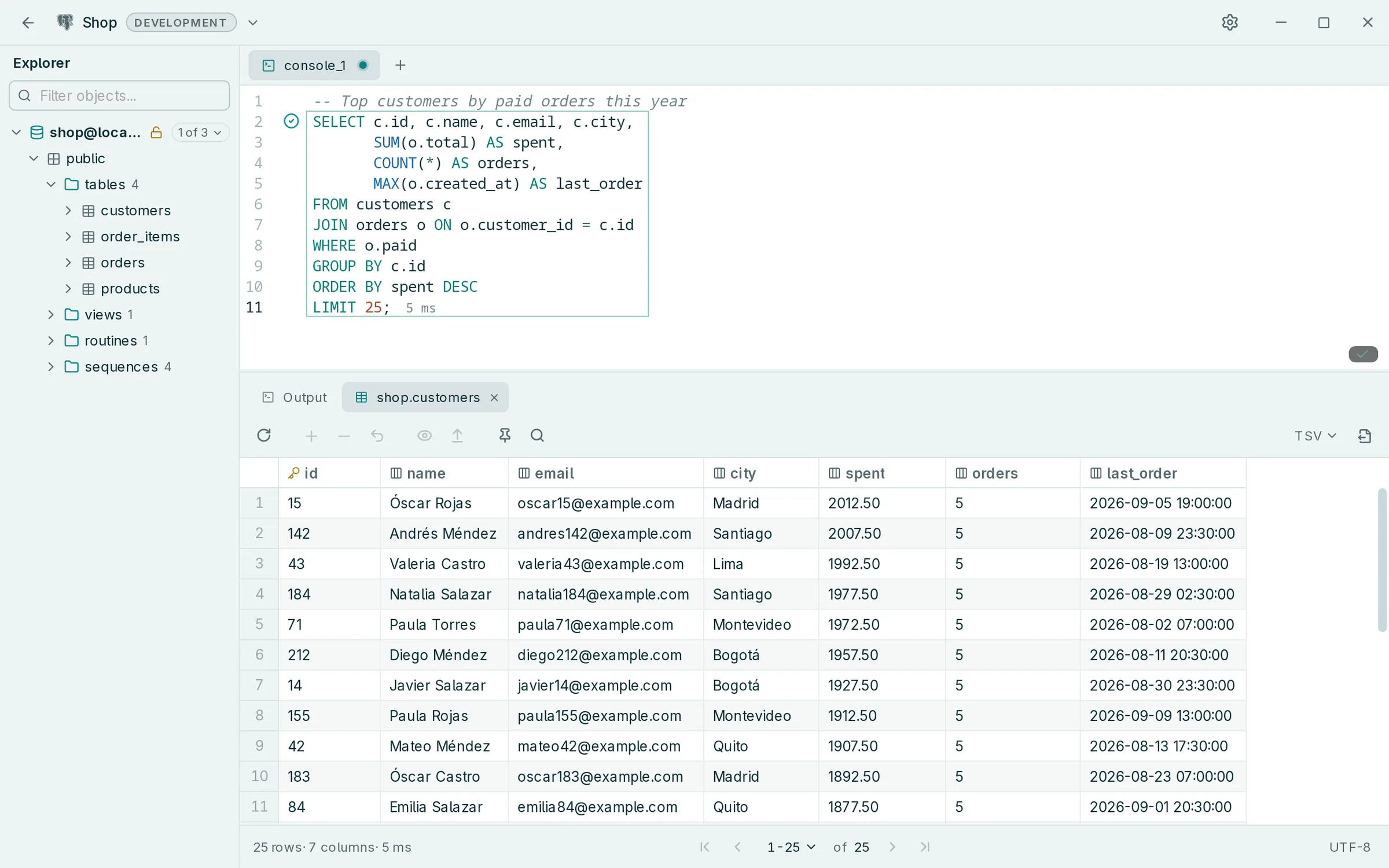
Edit data naturally, then inspect the SQL Rowly DB will execute before applying INSERT, UPDATE, or DELETE operations.
On production connections, every write asks for confirmation.

Suggestions and warnings come from the tables and columns of the database you are connected to.

Tables, columns and whole JOINs, built from your foreign keys.

Unknown tables and columns are marked, with the name you probably meant.

Run a query, then change the data right where you see it. Edits stay highlighted in the grid as pending changes until you apply them.
TSV, CSV, JSON, Markdown or SQL INSERT.
Every query you ran, one Ctrl+E away.
Open a folder and keep your scripts next to the connection.
Press F1 to see every shortcut.
Kept in the system keyring, never in a plain file.
Light and dark, from the Settings gallery.
Connect to PostgreSQL and MySQL servers, with TLS and optional certificate verification; other database engines are not supported.
Version 0.2.4 · Release notes · All files on GitHub
Windows 10 or 11, 64-bit.
Not code-signed. If SmartScreen says “Windows protected your PC”, choose More info → Run anyway. If WebView2 is missing, the installer downloads it.
Pick the chip your Mac has: Apple menu → About This Mac.
Not notarized by Apple, so macOS blocks the first launch. Open System Settings → Privacy & Security and choose Open Anyway.
x86_64. Needs WebKitGTK 4.1, which your package manager installs.
.deb.rpm.pkg.tar.zst.AppImage · no installThere are no ARM builds. Updates come from the app, not from your package manager.
curl -LO https://github.com/anderson-andres-dev/rowly-db/releases/download/v0.2.4/Rowly.DB_0.2.4_amd64.deb
sudo apt install ./Rowly.DB_0.2.4_amd64.deb
apt installs the libraries it needs.
sudo dnf install https://github.com/anderson-andres-dev/rowly-db/releases/download/v0.2.4/Rowly.DB-0.2.4-1.x86_64.rpm
dnf downloads the package and its dependencies.
curl -LO https://github.com/anderson-andres-dev/rowly-db/releases/download/v0.2.4/rowly-db_0.2.4_x86_64.pkg.tar.zst
sudo pacman -U ./rowly-db_0.2.4_x86_64.pkg.tar.zst
pacman installs the libraries it needs.
curl -LO https://github.com/anderson-andres-dev/rowly-db/releases/download/v0.2.4/Rowly.DB_0.2.4_amd64.AppImage
chmod +x Rowly.DB_0.2.4_amd64.AppImage
./Rowly.DB_0.2.4_amd64.AppImage
Nothing to install. Keep the file wherever you want to run it from.
Already installed? New versions arrive in Settings → Updates, and update packages are signed. You can also build it from source.
Rowly DB is dual licensed under MIT or Apache-2.0, at your choice, with no account and no paid edition. The source, the releases and the issue tracker are public on GitHub.
Rowly DB is a free, open-source desktop SQL client. You write queries, browse the schema, edit results in place and review every pending change as SQL before it runs.
Yes, with no account to create and no paid edition.
Yes. It is dual licensed under MIT or Apache-2.0, at your choice, and the code is on GitHub.
PostgreSQL and MySQL; other database engines are not supported.
Windows 10 and 11 (64-bit), macOS on Apple Silicon and Intel, and Linux on x86_64. There are no ARM builds for Windows or Linux.
In the downloads section above, or from the latest release on GitHub.
The Windows installer is not code-signed and the macOS app is not notarized by Apple, so SmartScreen or Gatekeeper may stop the first launch. The steps to continue are next to each download.
New versions appear in Settings → Updates and install when you choose. Update packages are signed.
A free, open-source SQL client for Windows, macOS and Linux.